

TMS Task Manager is designed for structured laboratory compliance tracking (CLIA-focused workflow management). The system is built around calendar-based compliance periods to ensure clear auditability, consistent reporting, and predictable task evaluation across teams.
👤 Accounts & Access Control
Every user must register using a valid email address. This email becomes your unique system identity across all teams, tasks, logs, and reports.
Your account determines:
- Which teams you belong to
- Your role permissions (Admin or Member)
- Task visibility and completion rights
- Email notification delivery
You must use the same email consistently. If a different email is used, you will not be recognized as part of the same user identity or team membership.
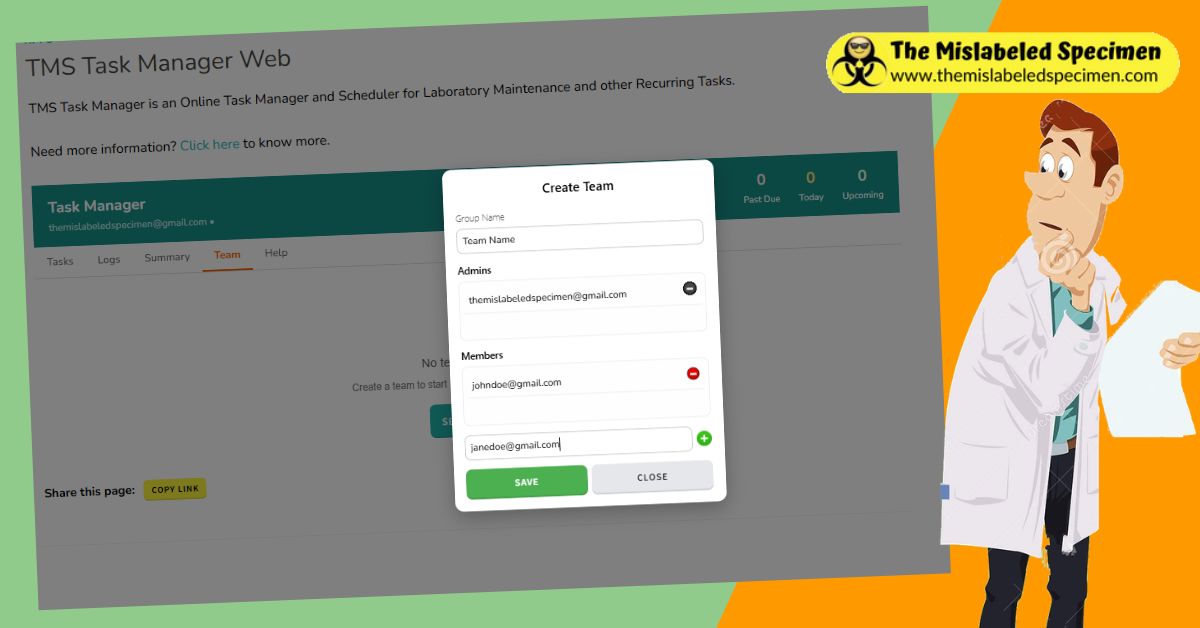
👥 Teams & Structure
Teams are the foundation of the system. All tasks, logs, and reports are scoped to a team.
Each team consists of:
- Admins – full control over team settings, users, tasks, and reports
- Members – can complete tasks and view assigned work
Users can belong to a team based on email assignment. Cross-team membership is restricted to maintain audit integrity.
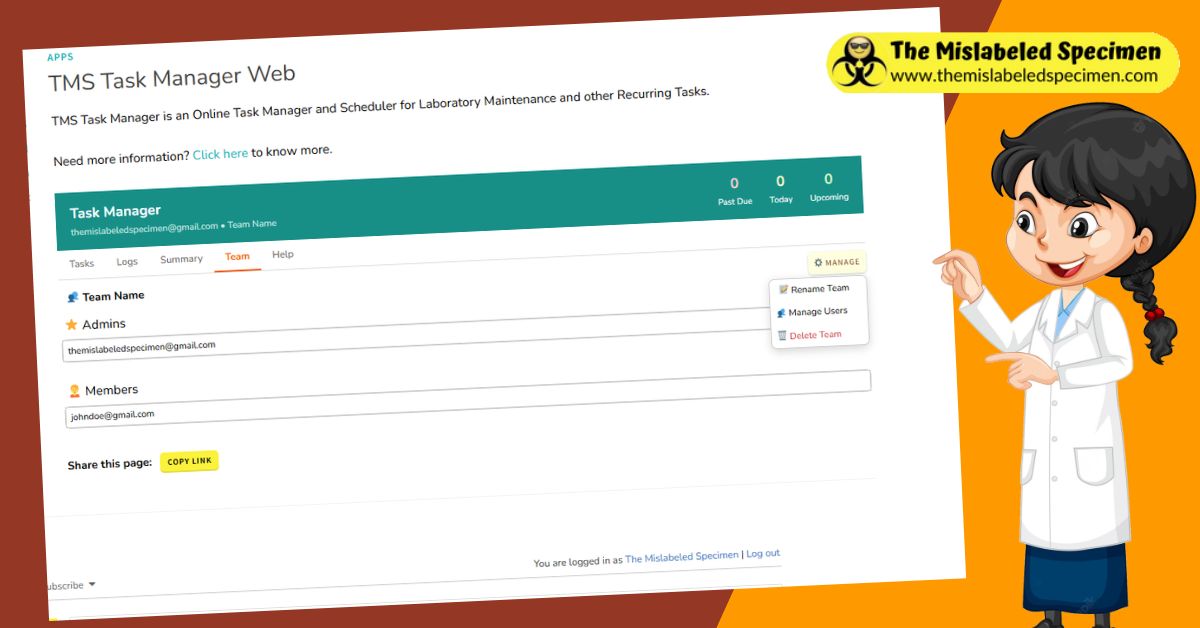
⚙️ Team Management
Team actions are accessed through the team menu. These include:
- Rename Team – updates all system references and reports
- Manage Users – view and modify team membership
- Leave Team – removes your account from the current team
- Delete Team – permanently removes the team, tasks, and logs
Deleting a team is irreversible and removes all associated compliance records.
🛠️ Roles & Permissions
- Admins
- Create and edit tasks
- Manage team members
- Rename or delete teams
- Generate reports and audits
- Members
- View assigned tasks
- Mark tasks as completed
- Participate in compliance workflows
Admin control is required for all structural changes to preserve audit integrity.
📋 Task System Overview
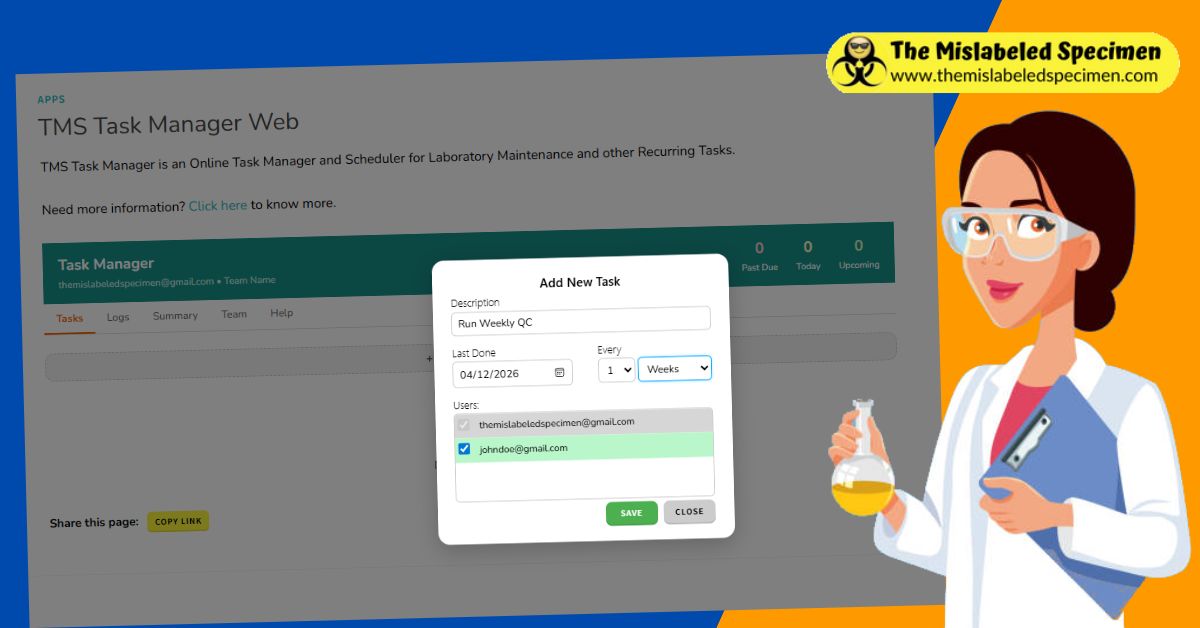
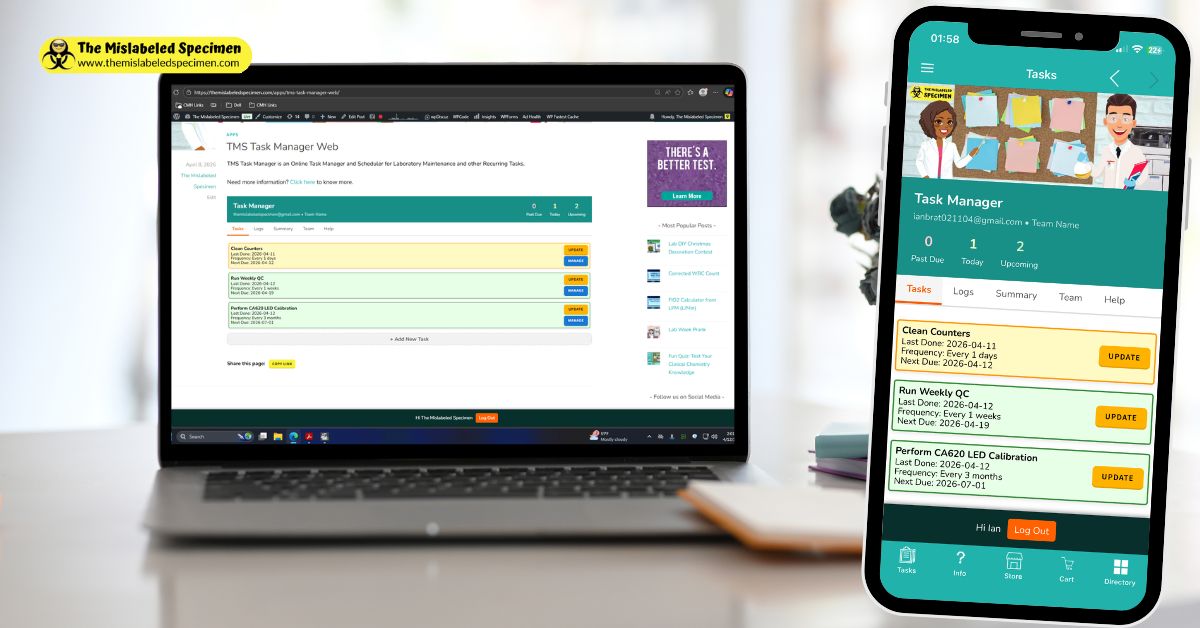
Tasks represent recurring compliance requirements within a laboratory workflow. Each task contains:
- Task description
- Assigned users
- Frequency (weekly, monthly, yearly)
- Frequency multiplier (e.g., every 2 weeks)
- Last completion date
- Next compliance period due date
Tasks are evaluated within structured calendar-based compliance periods rather than rolling time intervals.
⏱️ Compliance Period Logic (CLIA-Aligned)
TMS Task Manager is built around fixed calendar compliance buckets used in laboratory auditing. Each task belongs to a defined reporting period.
📅 Weekly Compliance
Weekly tasks are evaluated using Sunday–Saturday cycles. Any completion within that week satisfies compliance. After completion, the next due date is set to the start of the next week (Sunday).
📆 Monthly Compliance
Monthly tasks are evaluated within calendar months (1st through last day). Completion at any point in the month satisfies that month’s requirement. The next due date is set to the 1st of the following month.
📊 Quarterly Compliance
Quarterly tasks follow standard CLIA calendar quarters:
• Q1: January 1 – March 31
• Q2: April 1 – June 30
• Q3: July 1 – September 30
• Q4: October 1 – December 31
A quarterly task is considered compliant if it is completed at any time during the current quarter. Once completed, the next due date is automatically set to the first day of the next quarter.
Users can schedule quarterly tasks by selecting a “3 months” frequency interval. The system will automatically align the task to CLIA-defined quarter boundaries to ensure audit consistency.
📅 Yearly Compliance
Yearly tasks are evaluated within calendar years (January 1–December 31). After completion, the next due date resets to January 1 of the next year.
This structure ensures consistent audit grouping and eliminates ambiguity in compliance tracking.
✅ Task Completion Behavior
When a task is marked complete:
- The completion is logged with user and timestamp
- The task is recorded within its compliance period
- The next due date is automatically set based on calendar rules
Completion timing does not affect compliance credit as long as it occurs within the correct reporting period.
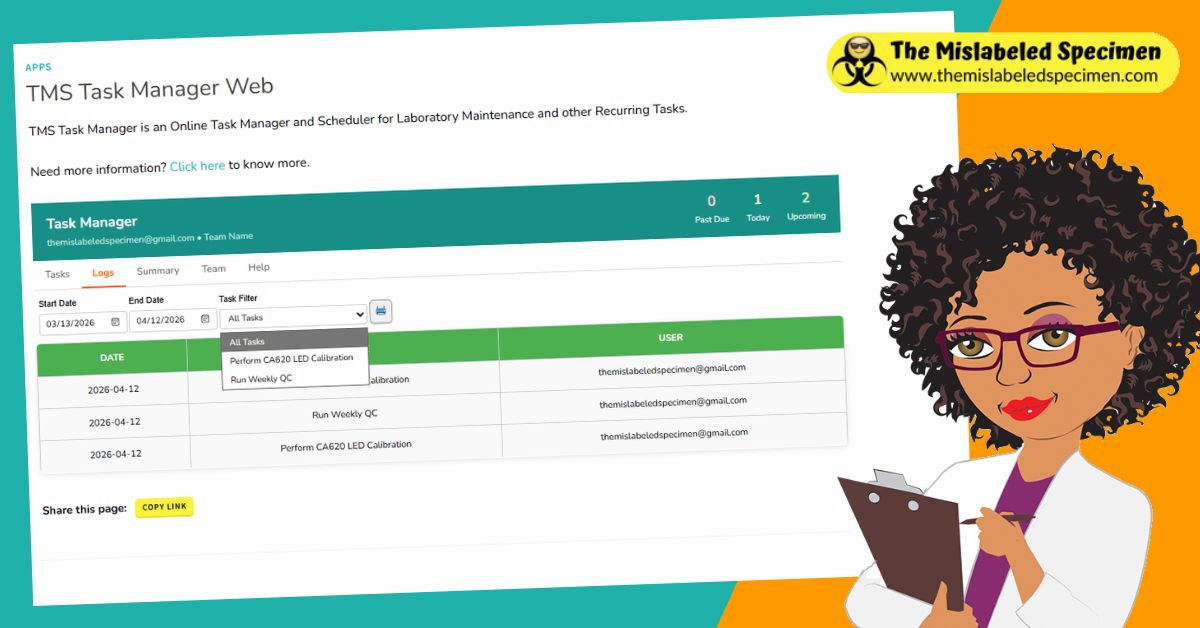
📊 Logs & Audit History
Logs provide a full audit trail of task activity including:
- Completion history
- User accountability
- Date tracking per task
Logs can be filtered by date range and task type for audit preparation and review.
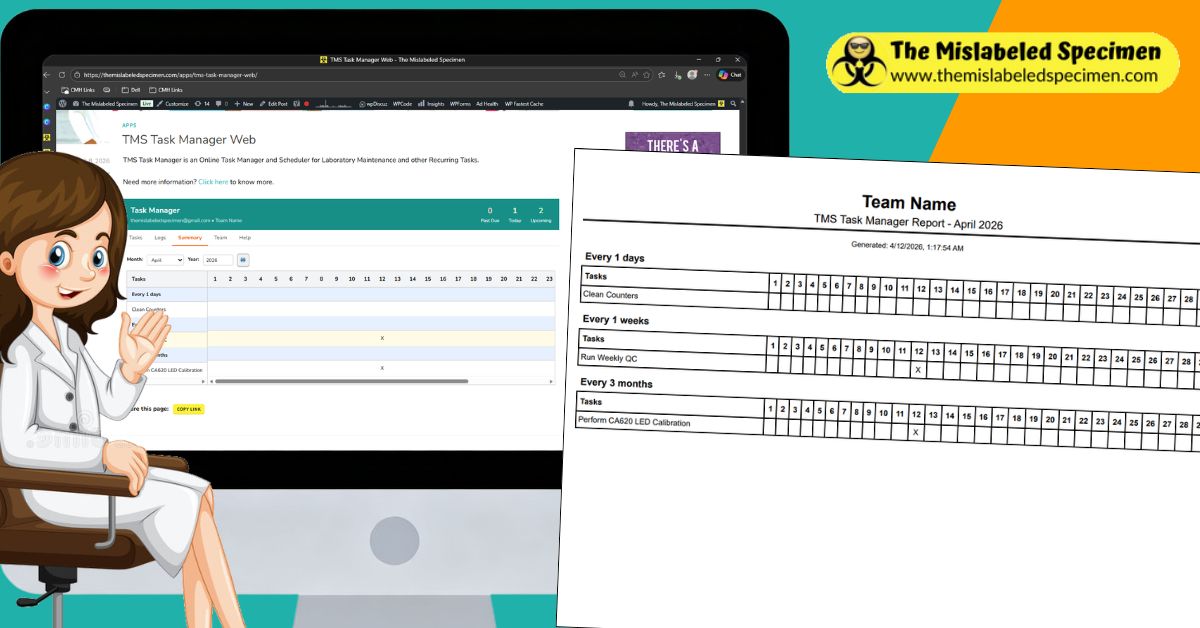
🗓️ Monthly Compliance Reports
Monthly reports generate a structured audit view of task completion status.
Reports include:
- Task completion by day
- Compliance status per task
- Groupings by frequency (weekly/monthly/yearly)
These reports are designed for printing, auditing, and regulatory review.
🔔 Email Notifications
The system automatically sends reminders for:
- Tasks due within the current compliance period
- Overdue compliance tasks
- System and team activity updates (if enabled)
Notifications are tied to your registered email address. If emails are not received, check spam or quarantine folders.
🔐 Audit Integrity & Data Control
The system is designed to preserve compliance integrity. This includes:
- Immutable log history (no silent overwrites)
- Role-based access control
- Team-scoped data isolation
- Controlled deletion of teams and records
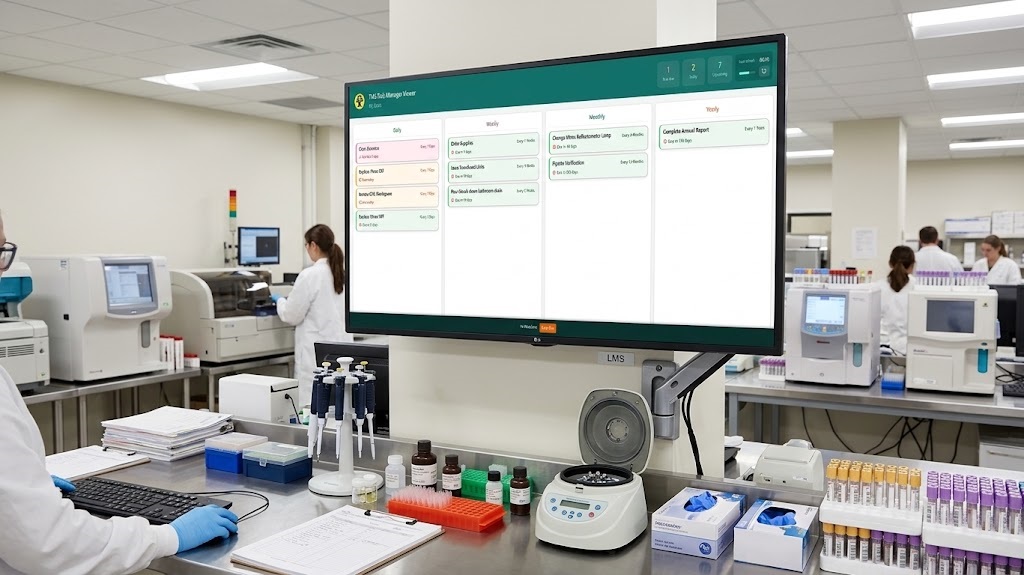
🖥️ TMS Task Manager Viewer
The TMS Task Manager Viewer is a fullscreen display mode built for shared work areas. Designed to run on a large screen or monitor, it gives the whole team a real-time, at-a-glance view of what needs to get done — no login or interaction required.
Tasks are automatically grouped into Daily, Weekly, Monthly, and Yearly categories, so staff can instantly see what’s due today alongside longer-term compliance work, without digging through individual task lists.
Because the Viewer pulls live from the same task data as the rest of the system, it stays in sync automatically — completed tasks update in real time, keeping the whole team aligned without manual refreshes.
🚀 Summary
TMS Task Manager is a CLIA-oriented compliance tracking system designed for structured laboratory workflows. It replaces informal reminders with audit-ready calendar-based compliance tracking.
The goal is simple: ensure tasks are completed, documented, and reviewable within defined regulatory periods.

[…] more information? Click here for more […]